Domains
Domains keeps an eye on two kinds of names: the ones you own (Portfolio) and the ones you would like to have (Watch list). Glimana reads the public registry record of each name and tells you when something needs you: an expiry, an SSL certificate, a change you did not make, or the moment a watched name becomes free. Open it from Domains in the left menu.
Who can see it. The owner and admins always. Domains belong to the whole workspace, not to a site, so members need the Domains permission (off by default; see Team). The same permission applies to the API and MCP domain tools.
Adding domains
One at a time. In Domains › Add domain, type a name and press Look up. Glimana shows the registry record (registrar, dates, status codes, name servers) and asks one question:
- Is this domain yours? Yes puts it in your Portfolio; No puts it on your Watch list.
- If nobody has registered it, you can choose I will register it (it waits in your portfolio and is checked every hour for 24 hours) or Tell me if someone registers it.
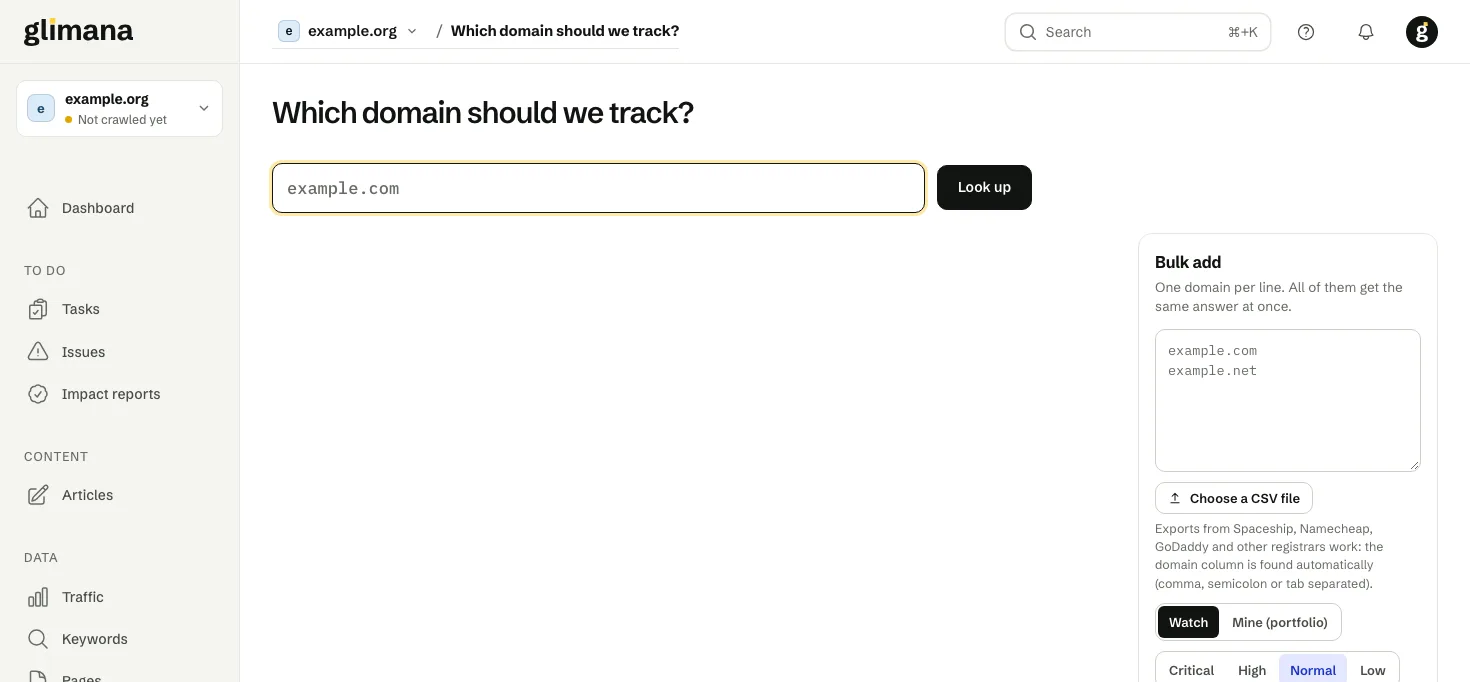
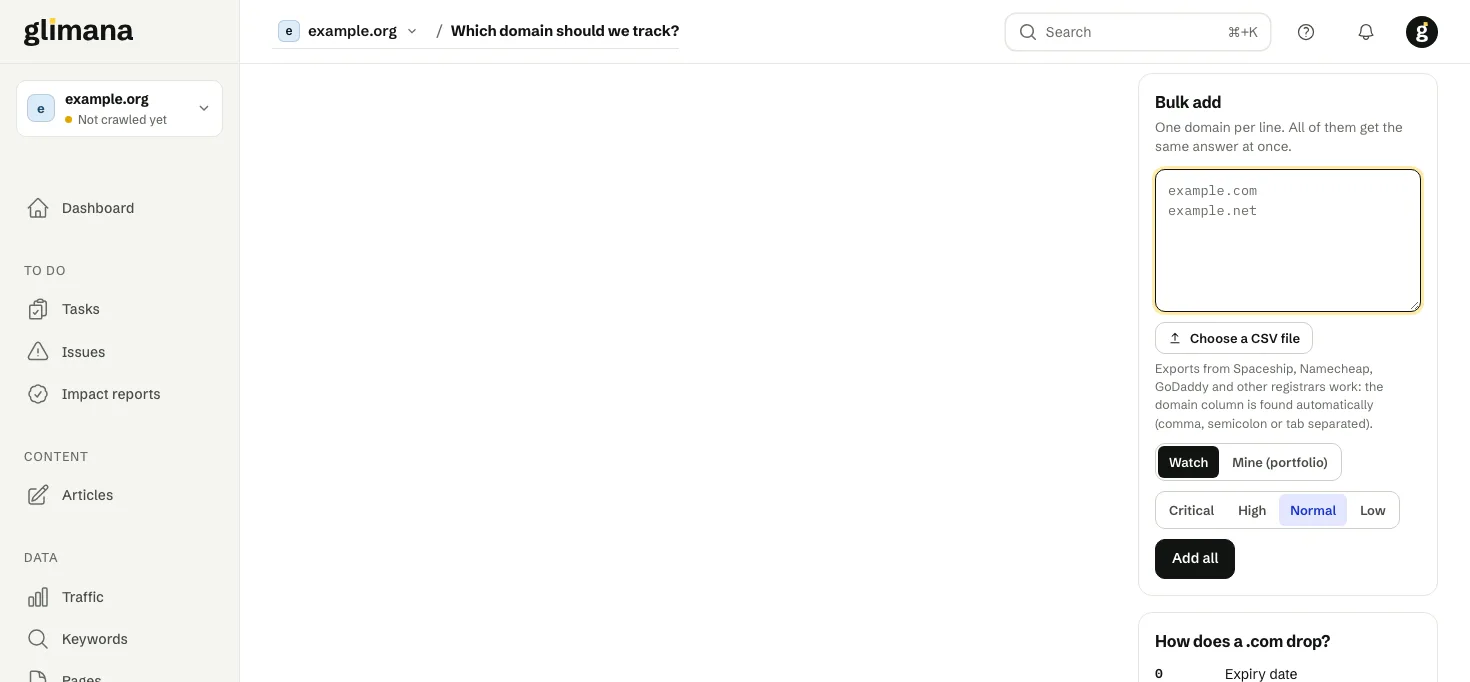
Many at once. In the Bulk add box, paste one domain per line or press Choose a CSV file. The domain column is found automatically, whether the file is separated by commas, semicolons or tabs, so the export files from Spaceship, Namecheap, GoDaddy and other registrars work as they are; the header row, e-mail addresses and the other columns are skipped. Pick Watch or Portfolio and the importance, then press Add all.
Your SEO sites. When you add a site for SEO, its domain is added to your portfolio automatically, tagged Glimana site. If you remove it from the portfolio, it is not added back.
Portfolio
Each row shows the expiry date and the days left (the bar is green, amber at 30 days, red at 14), whether the transfer lock is on, the SSL certificate when it is close to expiry, and where you renew the name.
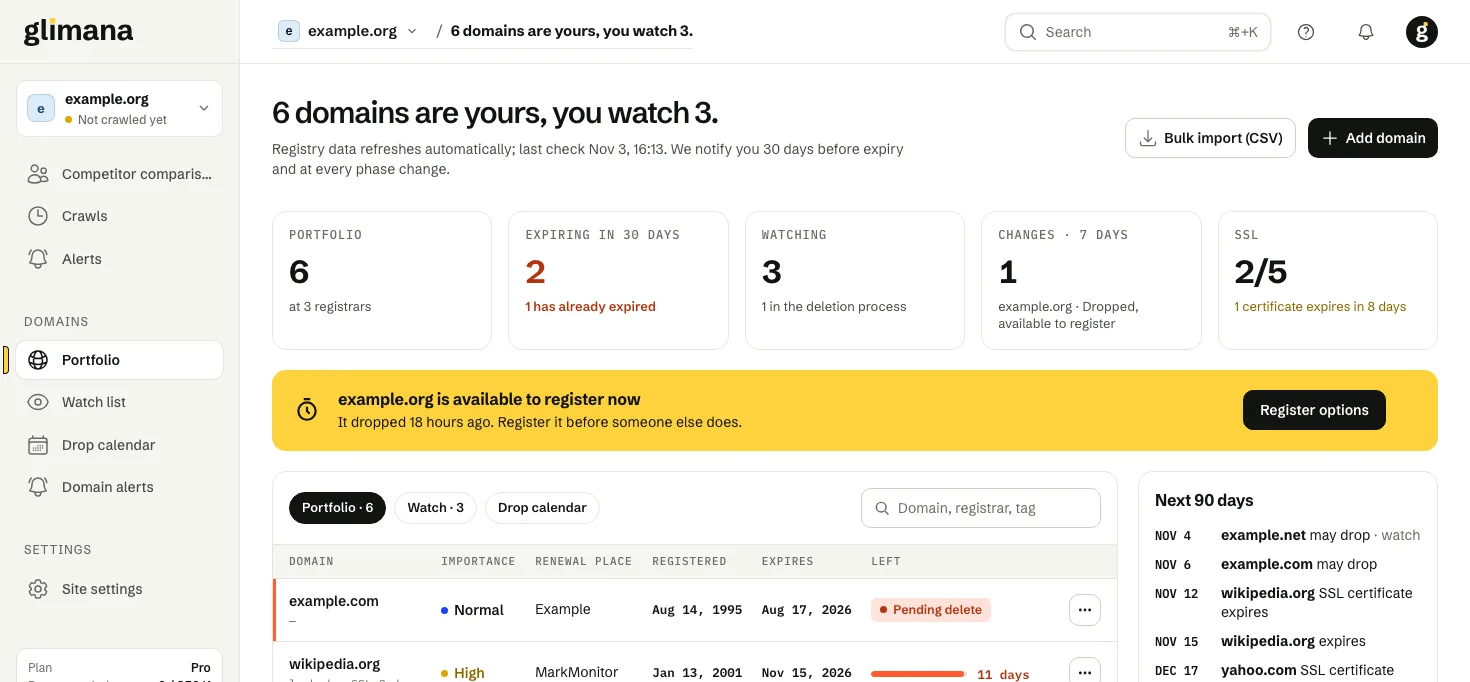
- Renewal place is what you type: the company you renew at (often a reseller) and, if you like, the renewal page address. The official registrar from the registry record is shown separately, in grey.
- Transfer lock off means the name can be moved to another registrar. Turn the lock on at your registrar unless you are transferring it.
- If a portfolio name has expired, its page shows a warning: in the grace period you can still renew at the normal price; in redemption only for a fee; in pending delete it can no longer be recovered and the page shows when it will drop.
Watch list and the drop
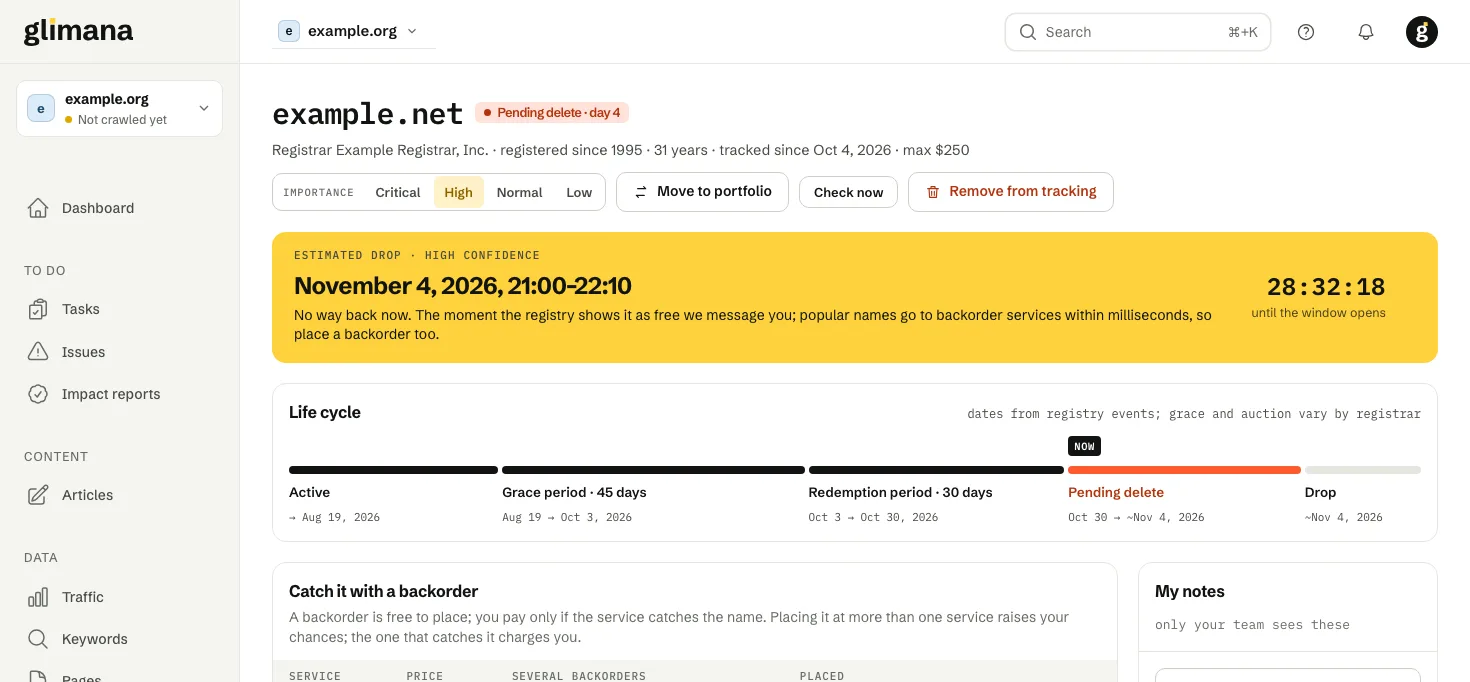
A registered name that is not renewed goes through fixed phases before anyone can register it again:
| Phase | Typical length (.com) | What it means |
|---|---|---|
| Active | until expiry | The owner holds it. |
| Grace period | 0–45 days | The owner can still renew at the normal price. Many registrars shorten this and auction the name. |
| Redemption period | 30 days | The owner can get it back only for a high fee. |
| Pending delete | 5 days | No way back. The registry deletes the name at the end. |
| Drop | — | The name is free; the first to register it gets it. |
Dates marked with ~ are estimates. They are worked out from the registry's own dates (for example the time a name entered pending delete) and the rules of the extension. For .tr names the rules differ: about 60 days suspended, then about 30 days of deletion.
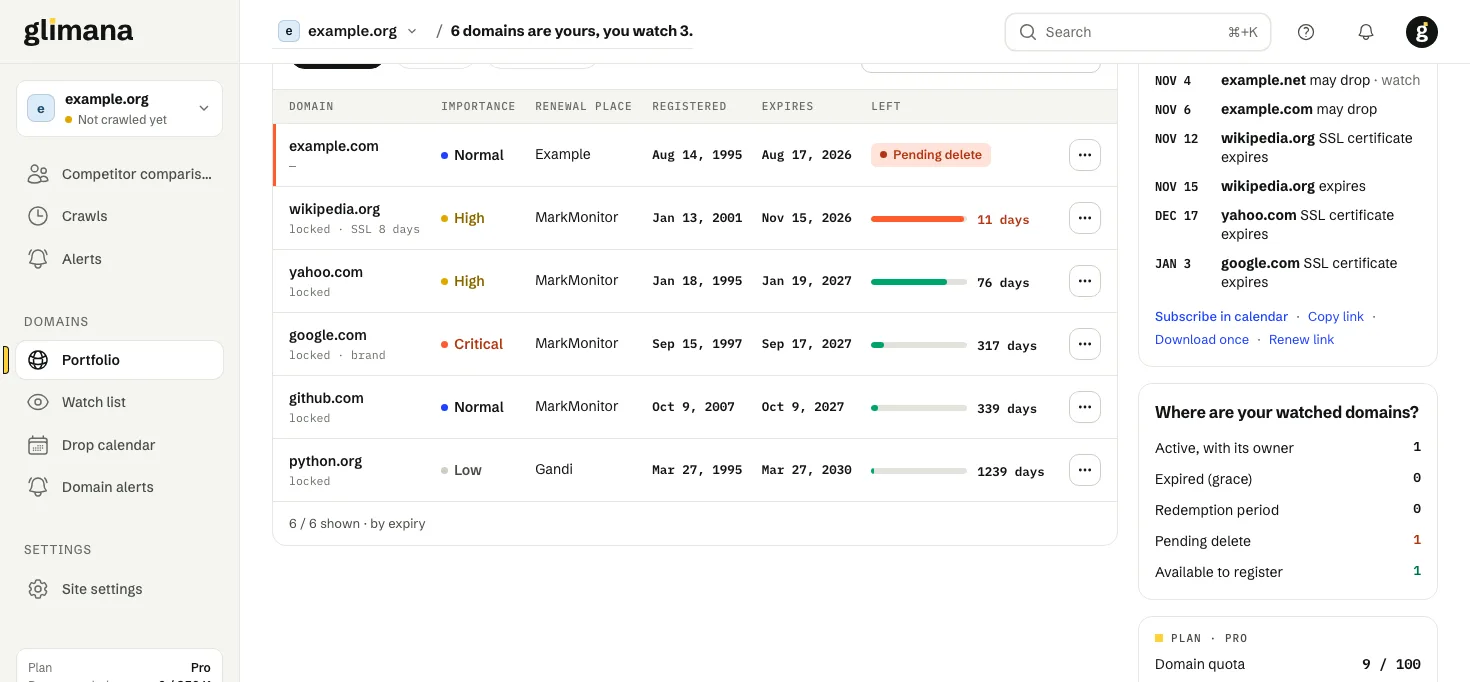
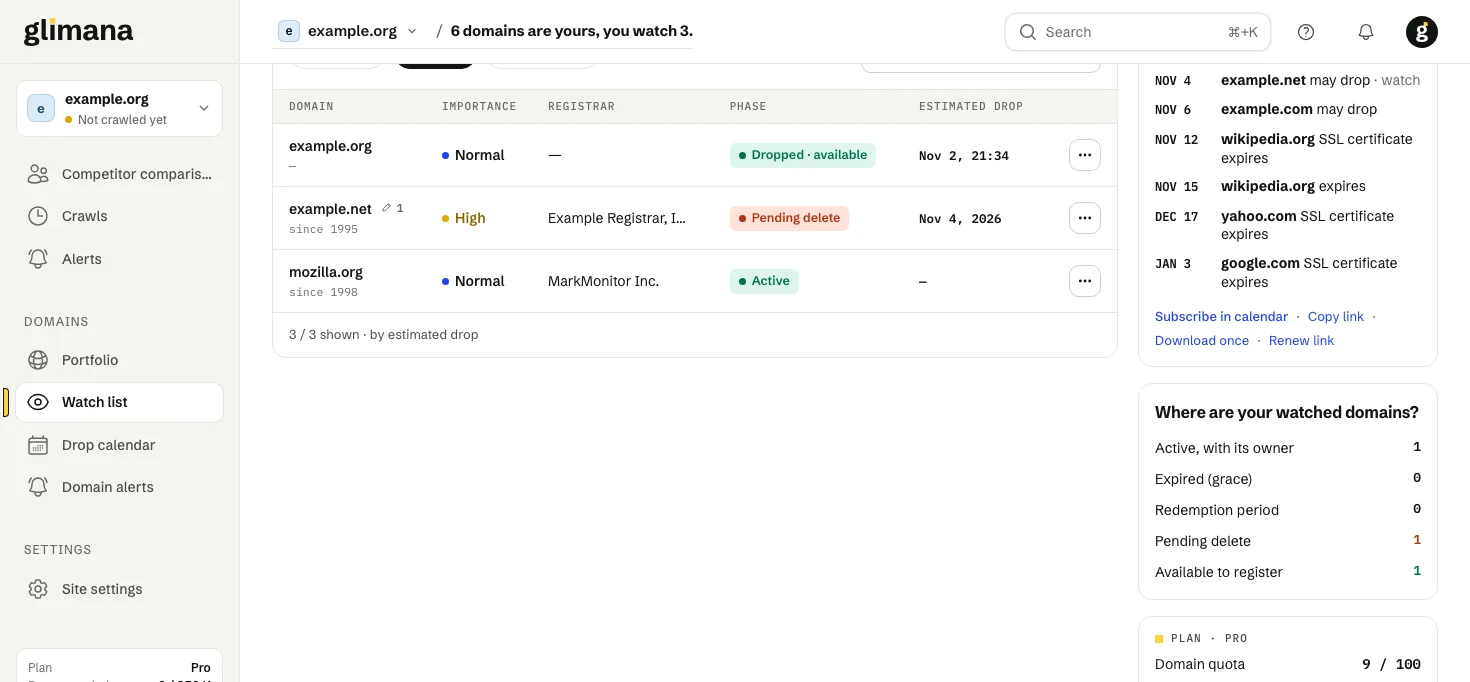
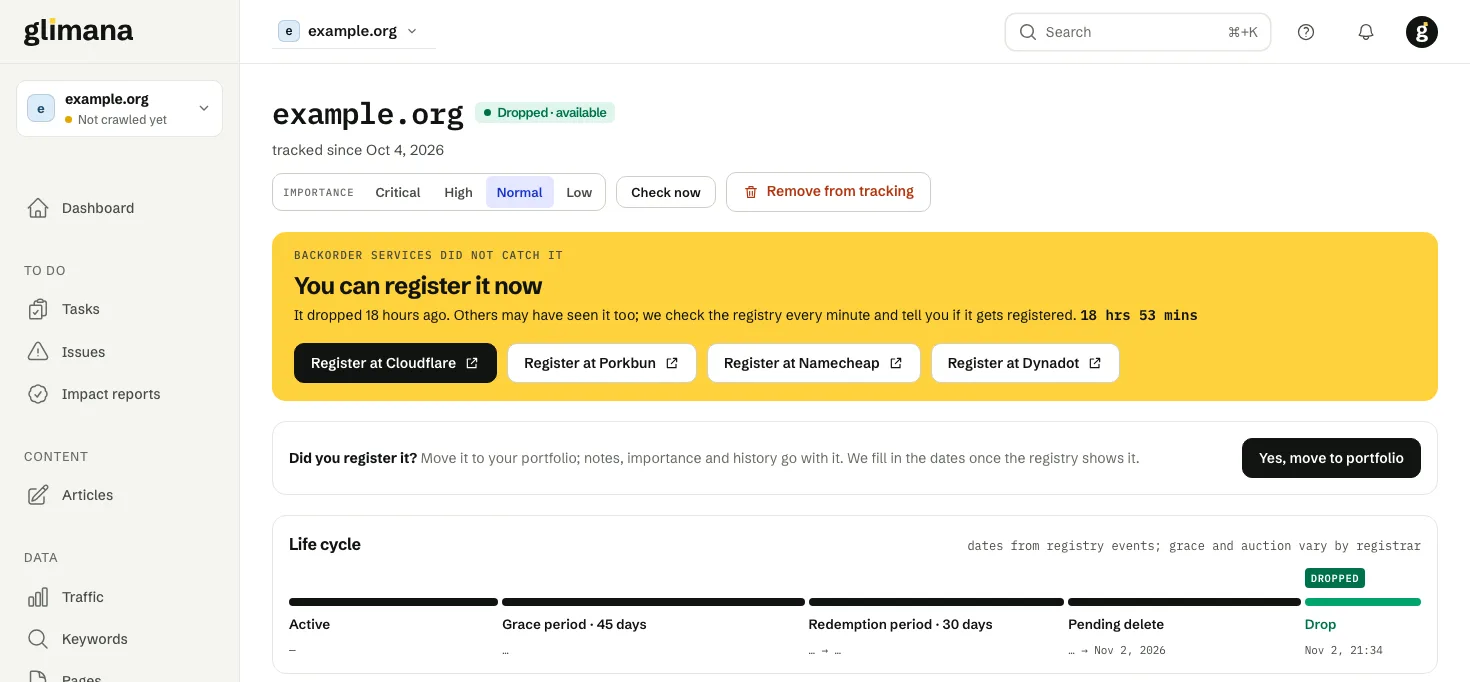
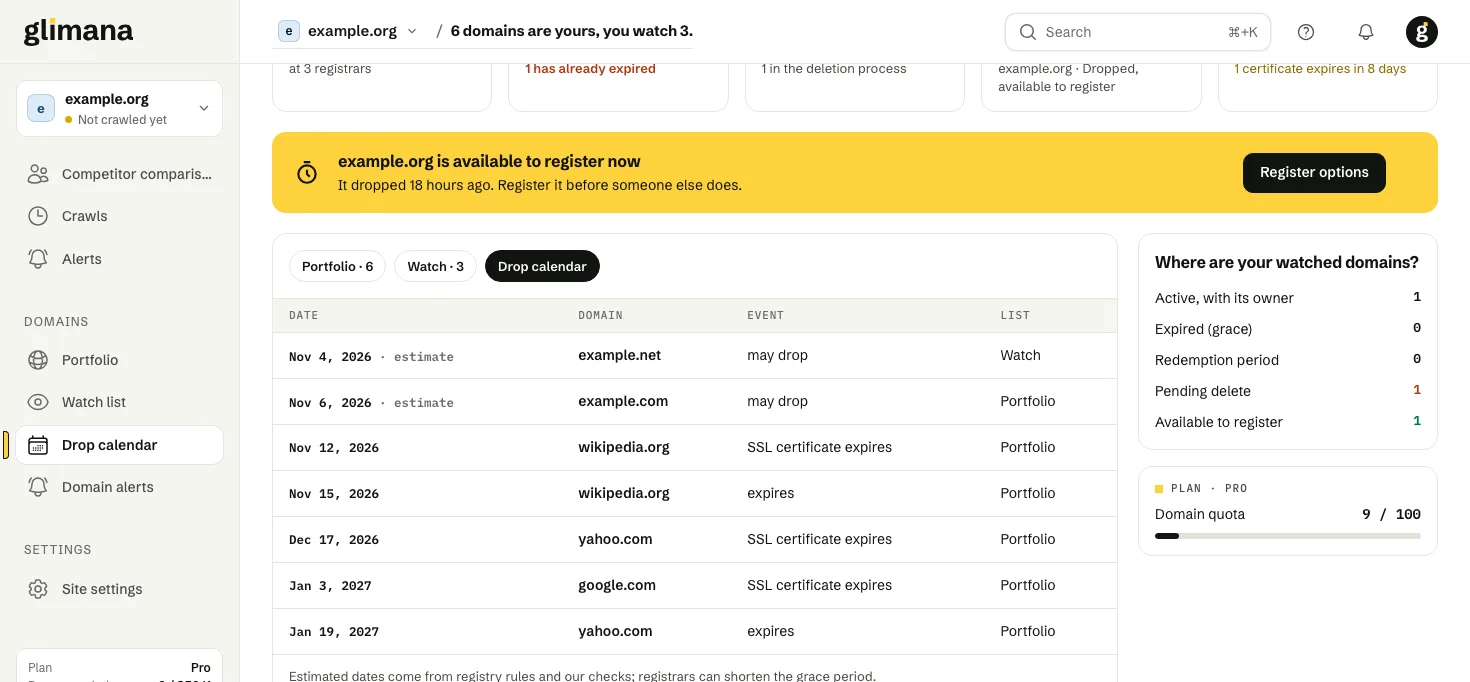
When a watched name is in deletion and will drop within seven days, a yellow band at the top of the list counts down to the drop window. During the window Glimana checks the name every two minutes; if the window passes and the name has not dropped yet, it keeps checking every few minutes and moves the estimate to the next day. Once it drops, you are told immediately and the page offers registrar links; for the next hour the name is checked every minute so you also learn if someone else registers it.
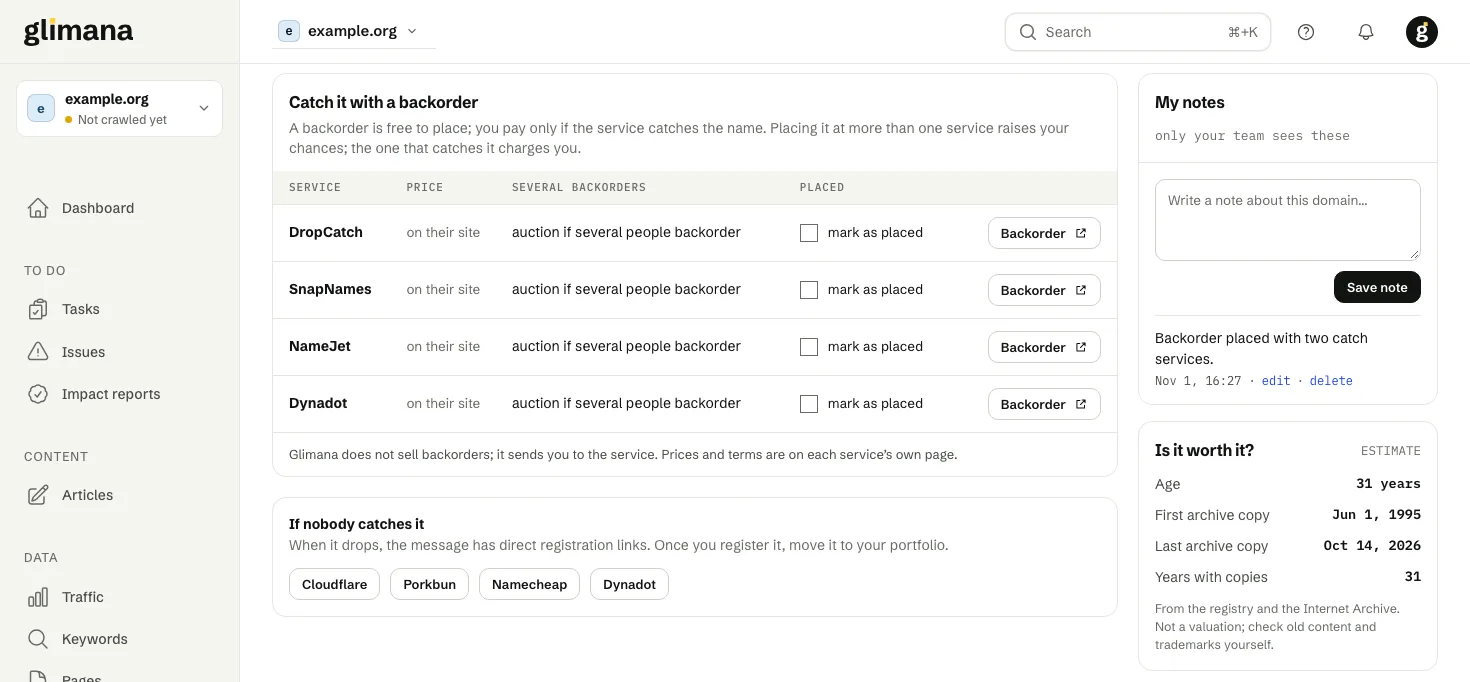
Backorders. Popular names are usually caught by backorder services within a second of the drop. The domain page links to the main services and lets you note where you placed one. Glimana does not sell backorders.
Alerts
| Alert | When |
|---|---|
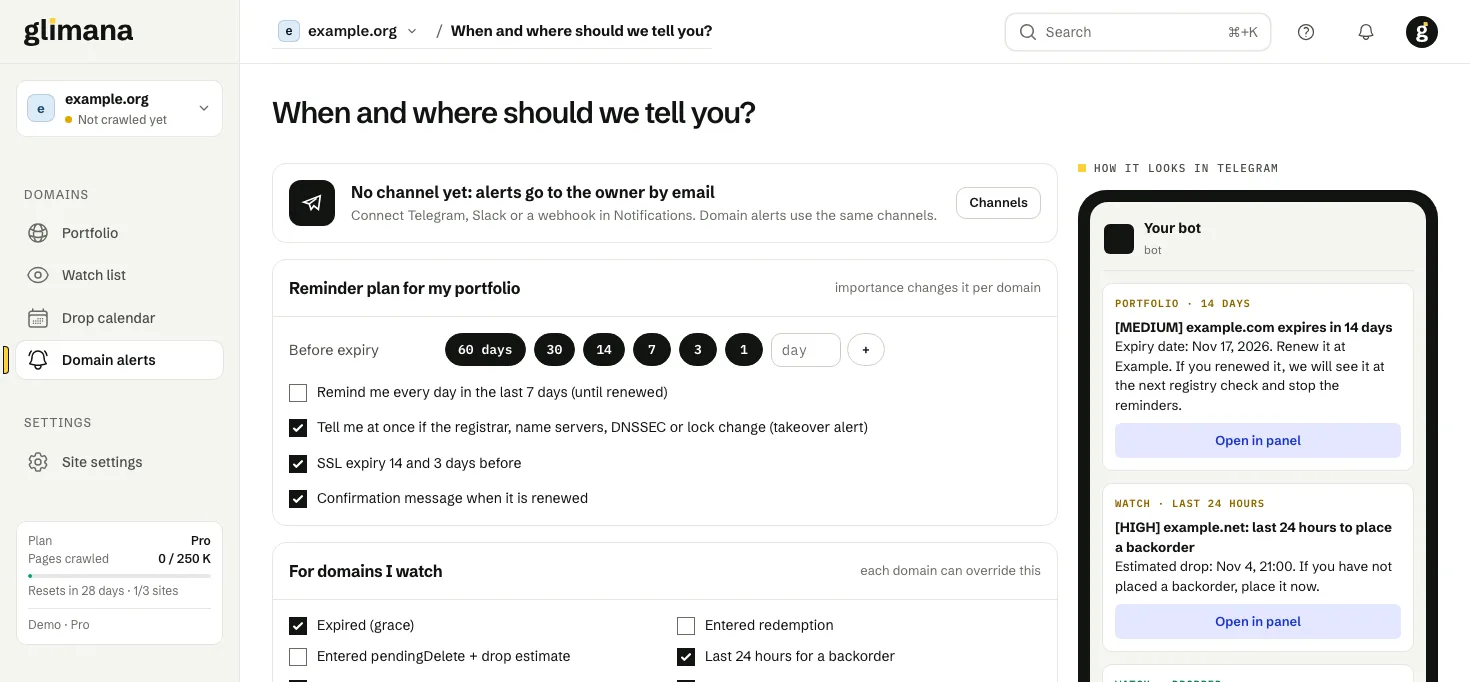
| Expiry reminder | Portfolio names, at 60, 30, 14, 7, 3 and 1 days before expiry (you can change the days in Domains › Alerts). Critical names also get a daily reminder in the last week; Low names only at 7 and 1 days. A threshold that had already passed when you added the name is skipped. |
| SSL certificate | 14 and 3 days before the certificate expires. |
| Takeover signals | Name servers, registrar, transfer lock or DNSSEC changed on a portfolio name. These are urgent and are delivered during quiet hours too. |
| Watch list | The phases you chose (for example entering pending delete), the last 24 hours for a backorder, the drop, a renewal by the owner, and a new registration. |
A change that would raise an alert is confirmed with a second registry lookup about a minute later, so a single bad answer does not alarm you. Alerts go to the channels set up in Alerts and notifications; the alert labels use your workspace language.
Calendar
Under the 90-day list you have three options:
- Subscribe in calendar opens your calendar app with a live calendar of your expiries, SSL dates and estimated drops. It updates itself every few hours, and each event links back to the domain's page.
- Copy link gives you the same address for Google Calendar (Other calendars › From URL).
- Download once saves a one-off
.icsfile that does not update.
The calendar address contains a private key. If you shared it by mistake, use Renew link: the old address stops working at once. It is also renewed automatically when someone is removed from the team.
Plans and limits
| Plan | Domains (portfolio and watch list together) |
|---|---|
| Free | 3 |
| Pro | 100 |
| Studio | 300 |
| Agency | 1,000 |
Removed names do not count and can be restored for 30 days, with their notes and history. On the free plan alerts stay in the panel's delivery log; email, Telegram, Slack and webhook delivery is on paid plans. If a free workspace has not been used for 30 days, its domains are not checked until someone signs in again.
What the data can and cannot tell
Registry data is public: the owner's name is usually hidden, so Glimana asks you whether a name is yours instead of guessing. Dates marked as estimates can move, because registrars may shorten the grace period or auction a name, and some names that look free are premium or reserved — the registrar's basket shows the final answer.
Ask your AI assistant
With the MCP connection, an assistant can read your domains: list_domains, get_domain and get_domain_calendar. For example: “Which of my domains expire in the next 60 days and have the transfer lock off?”