AI access
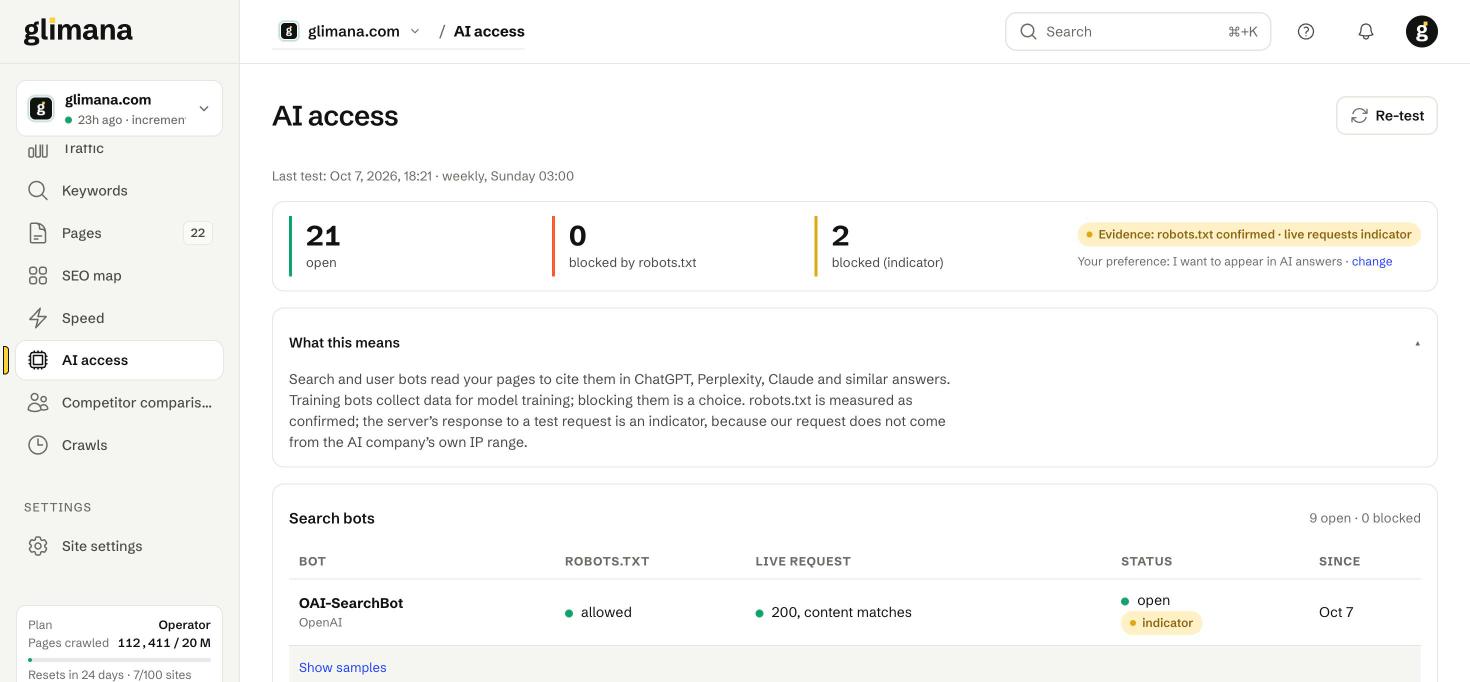
ChatGPT, Perplexity, Claude and Google's AI answers can only cite pages their bots can fetch. This screen tests every relevant bot against your site and tells you, with its evidence, whether it gets in.
Three kinds of bot
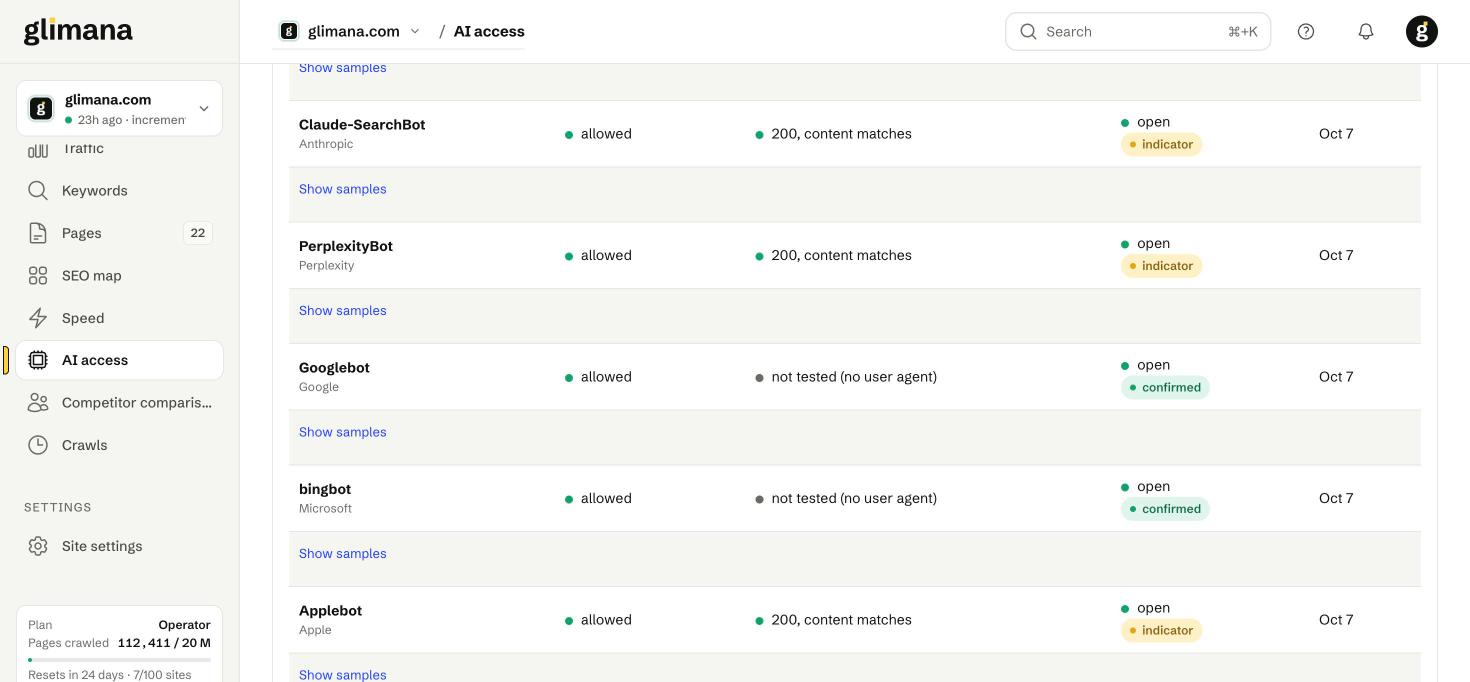
- Search bots fetch pages to cite them in answers: OAI-SearchBot (ChatGPT search), Claude-SearchBot, PerplexityBot, Googlebot (also used for AI Overviews), Bingbot (Copilot), Applebot, DuckAssistBot.
- User bots fetch a page on a user's request inside a chat: ChatGPT-User, Claude-User, Perplexity-User, MistralAI-User.
- Training bots collect data for model training: GPTBot, ClaudeBot, Google-Extended, Meta-ExternalAgent, Amazonbot, CCBot, Bytespider.
Blocking training bots is a legitimate choice and does not affect whether you appear in answers. Blocking search or user bots does.
Two levels of evidence
robots.txt — confirmed. Glimana reads your robots.txt and evaluates the rules for each bot's user agent exactly as the bot would. A Disallow: / for a bot is a certain block.
Live request — indicator. Glimana fetches the home page and a sample of pages with each bot's user-agent string and records the status and whether the content matches a normal fetch. A 403 or an empty page is a strong sign that a firewall or bot-management rule blocks the bot — but only an indicator, because our request comes from Glimana's address, not from the AI company's IP range, and some firewalls (Cloudflare's verified-bot logic, for one) treat a spoofed user agent differently from the real bot. A 429 is rate limiting, not a block, and is never reported as one.
The status badge reads open or blocked with confirmed or indicator next to it; Show samples lists the URLs tested with their status codes.
Your preference
The grade of each finding follows the AI visibility choice in site settings:
| Preference | Blocked search/user bot | Blocked training bot | Everything open |
|---|---|---|---|
| I want to appear in AI answers | High-severity issue | Information | — |
| Appear in answers, block training | High-severity issue | Not reported | Info if a training bot is still open |
| Block all AI bots | — | — | Info for every bot still open |
| Don't care | Information | Information | — |
Change it with the change link on this page or in Site settings → General.
Rules on this screen
AI-01 search bot blocked · AI-02 training bot blocked · AI-03 bot blocked by firewall/WAF (indicator) · AI-04 unknown bots blocked by a blanket rule · AI-05 bot served different content (cloaking) · AI-06 Google-Extended blocked · AI-07 AI bots still open although you chose to block them · AI-08 user bot blocked. Each has an issue guide with the exact fix per hosting setup.
Fixing a block
robots.txt block — remove or narrow the Disallow for that user agent. Changes are picked up at the next test.
Firewall block — in Cloudflare: Security → Bots ("Block AI bots" toggle) or the WAF rule that matches the user agent; in other WAFs the equivalent bot-category rule. Then click Re-test.
Tests run weekly (Sunday 03:00) and on demand with Re-test. The last test time is shown under the title.