Sites and site settings
A site in Glimana is one canonical root — https://www.example.com — with its own crawl, rules, tasks and Search Console mapping. Your plan sets how many you can add; the sidebar footer shows the count ("7/25 sites").
Adding a site
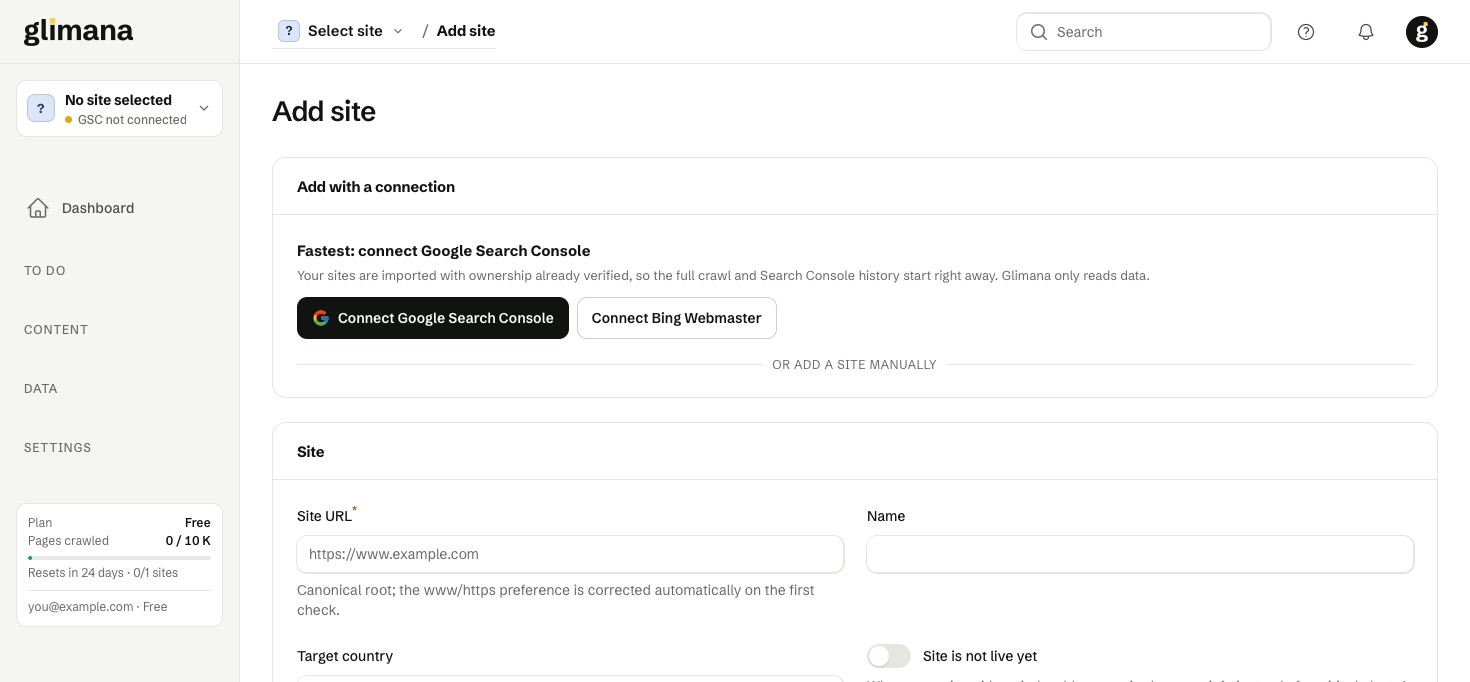
- Open the site switcher at the top of the sidebar and choose + Add site, or go to All sites → Add site.
- Connect Google first if you have not: the page shows Connect Google Search Console and Connect Bing Webmaster. The Google flow asks for read scopes only and returns you to this page.
- Pick a property. The page lists your Search Console properties that are not yet in Glimana; Add next to one creates the site with ownership already verified, starts the full crawl and the 16-month Search Console import together. A
sc-domain:property is preferred when both exist. - Or add it manually with the link at the bottom: enter the root URL in the form you want in search results (if you type
example.comand the site answers onhttps://www.example.com, the first check corrects it), give it a short name and, if you know them, the target country and language. Map the Search Console property afterwards under Connections.
The All sites table
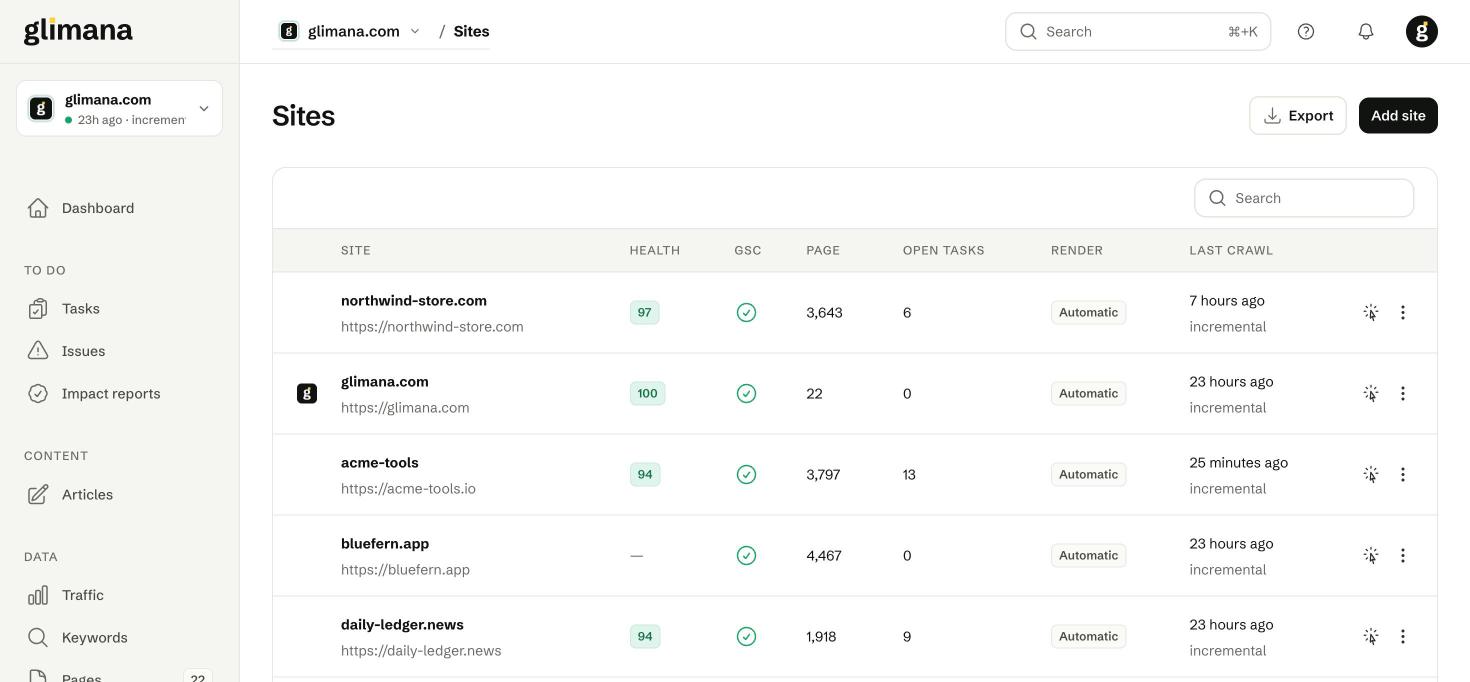
The table is the overview for agencies and multi-site owners. Columns: Health (0–100, from the last crawl), GSC (mapped or not), Page (pages known from the crawl), Open tasks, Render (Automatic / HTTP only / Always Chromium) and Last crawl with its type. The icon at the end of a row makes that site the active one; the ⋮ menu offers Incremental crawl, Full crawl, Fetch GSC/GA4, Analyze, Edit and Delete.
Site settings → General
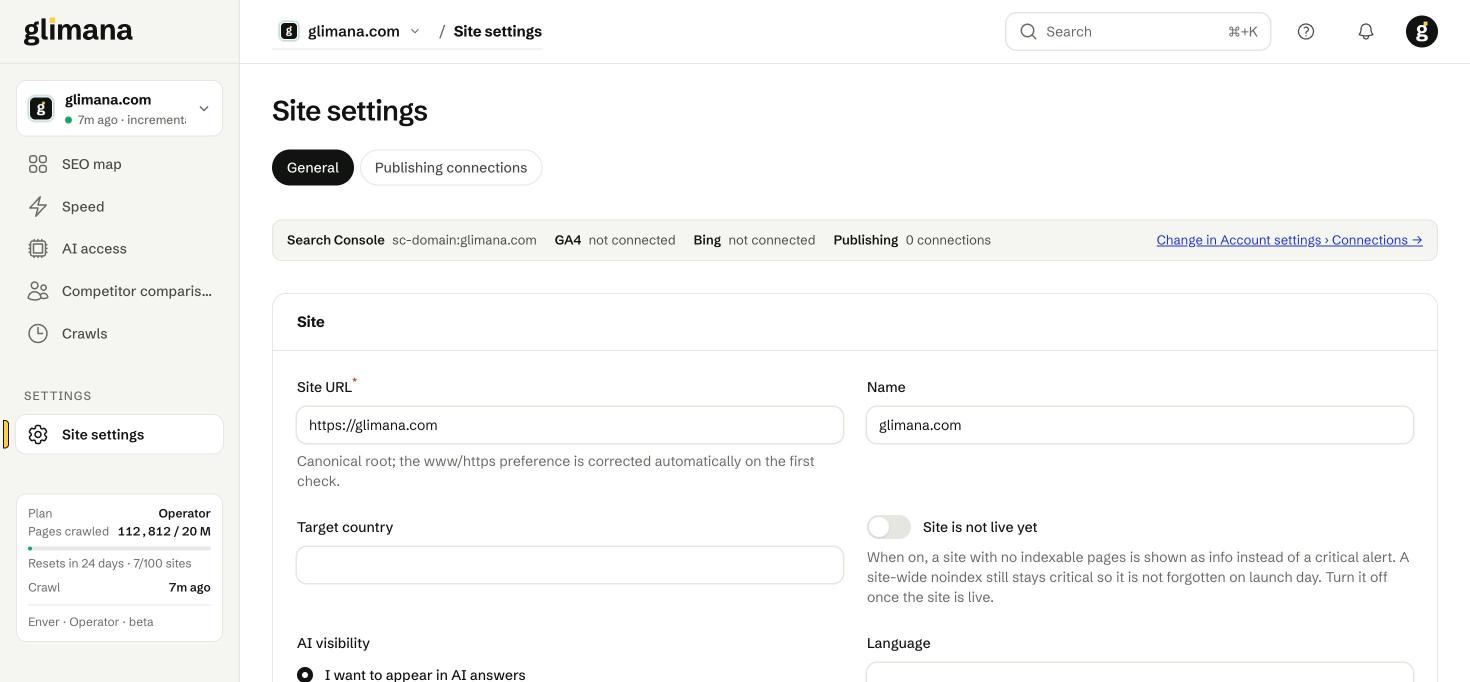
Site URL — the canonical root. Changing it is treated as a new site for crawling purposes; the history stays.
Name — the label in the switcher and in reports.
Target country and Language — searchable lists (all countries and languages). They set the CrUX locale, the writer's default article language and the hreflang expectations.
Site is not live yet — turn this on for a site that is still noindex while being built. Rules that would otherwise raise a critical "no indexable pages" alert are shown as information instead. A site-wide noindex still stays critical so launch day is not forgotten; turn the switch off when you go live.
AI visibility — what you want from AI search and training bots. It changes how the AI access rules are graded:
| Choice | What happens |
|---|---|
| I want to appear in AI answers | Blocked search and user bots (OAI-SearchBot, Claude-SearchBot, PerplexityBot…) become high-severity issues; training bots are informational. |
| Appear in answers, block training | Blocking GPTBot, ClaudeBot, Google-Extended and similar is not reported. |
| Block all AI bots | Any bot that can still read the site is reported as information. |
| Don't care | Everything is informational. |
Brand names — comma-separated names and domains. Brand queries are excluded from the CTR curve and from article opportunities, because a brand query converts differently and would skew both.
Competitor domains — up to a few domains, no scheme. They are used only on the Competitor comparison page for speed and page-structure comparison. Competitor traffic, search volume and rankings are deliberately not shown: they would be third-party estimates.
Site settings → Crawl
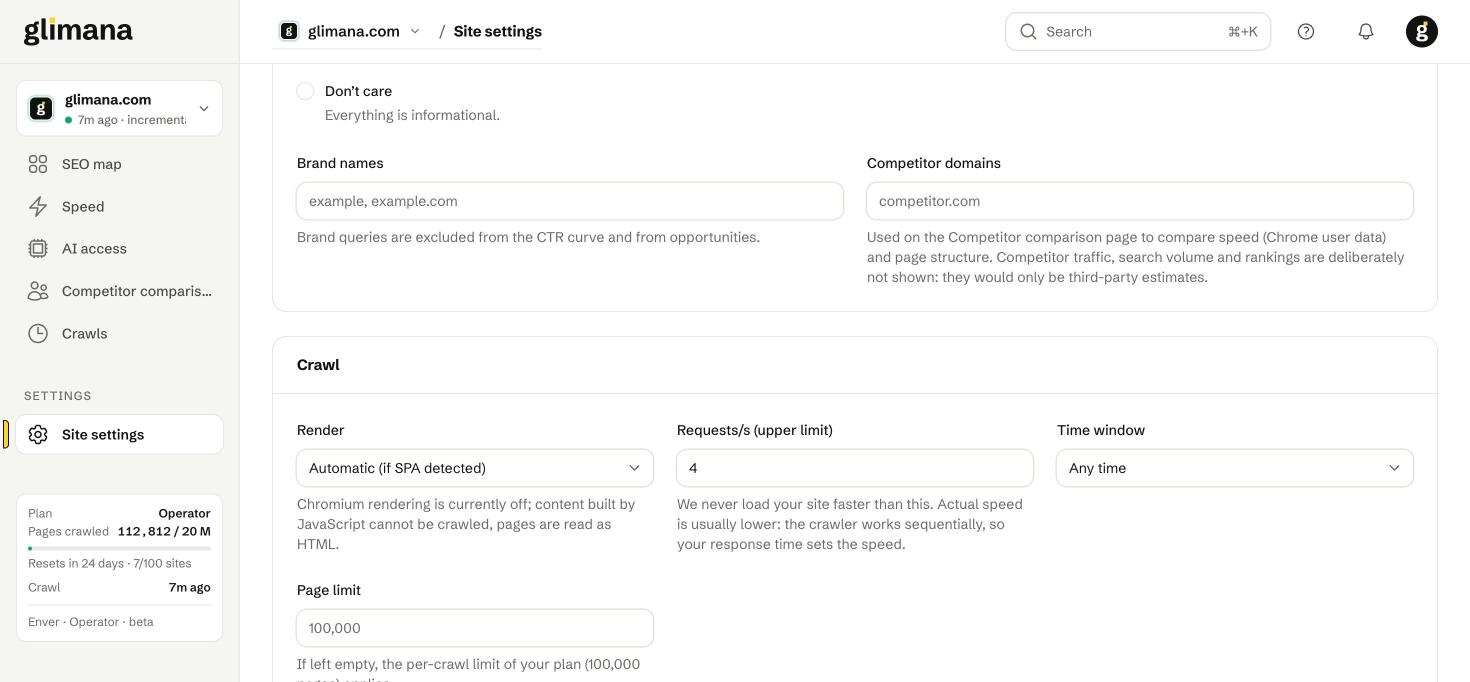
Render — Automatic crawls HTML and switches to Chromium rendering only if the site looks like a single-page app; HTTP only never renders; Always Chromium renders every page (slower, uses more budget). Rendering is sampled, not applied to every page, so a JavaScript-built site still gets a representative read.
Requests/s (upper limit) — the fastest we will ever load your site. The crawler works sequentially, so the real speed is usually lower; your server's response time sets it.
Time window — Any time or Night only (00–07 in the site's time zone) for servers that are busy by day.
Page limit — leave empty to use the plan's per-crawl cap (100,000 pages on this plan). Set it lower for very large sites where you only care about a section.
Exclusion patterns — one per line. Glob (*) or /regex/; plain text matches anywhere in the URL. Excluded URLs are not fetched and do not count against the budget.
Task weights — multipliers (0.5–2) for the three task families (Technical, Content, Traffic). Use them to say "on this site, content work matters more" without touching the rules.
Deleting a site
The delete button is at the bottom of General settings, in the danger zone, behind a confirmation. Deleting removes the crawl history, issues, tasks and drafts for that site and frees the slot in your plan. Search Console data stays with Google; re-adding the site re-imports it.
Site scope vs account scope
Everything on this page belongs to one site. Google and Bing accounts, API keys, team and billing are account-wide and live under your avatar menu — see Account, team and billing.