Support and feedback
Open a request from the ? button in the top bar or from avatar → Help & support. Requests are answered by email and in the panel; you can reply to the email and your answer lands on the request.
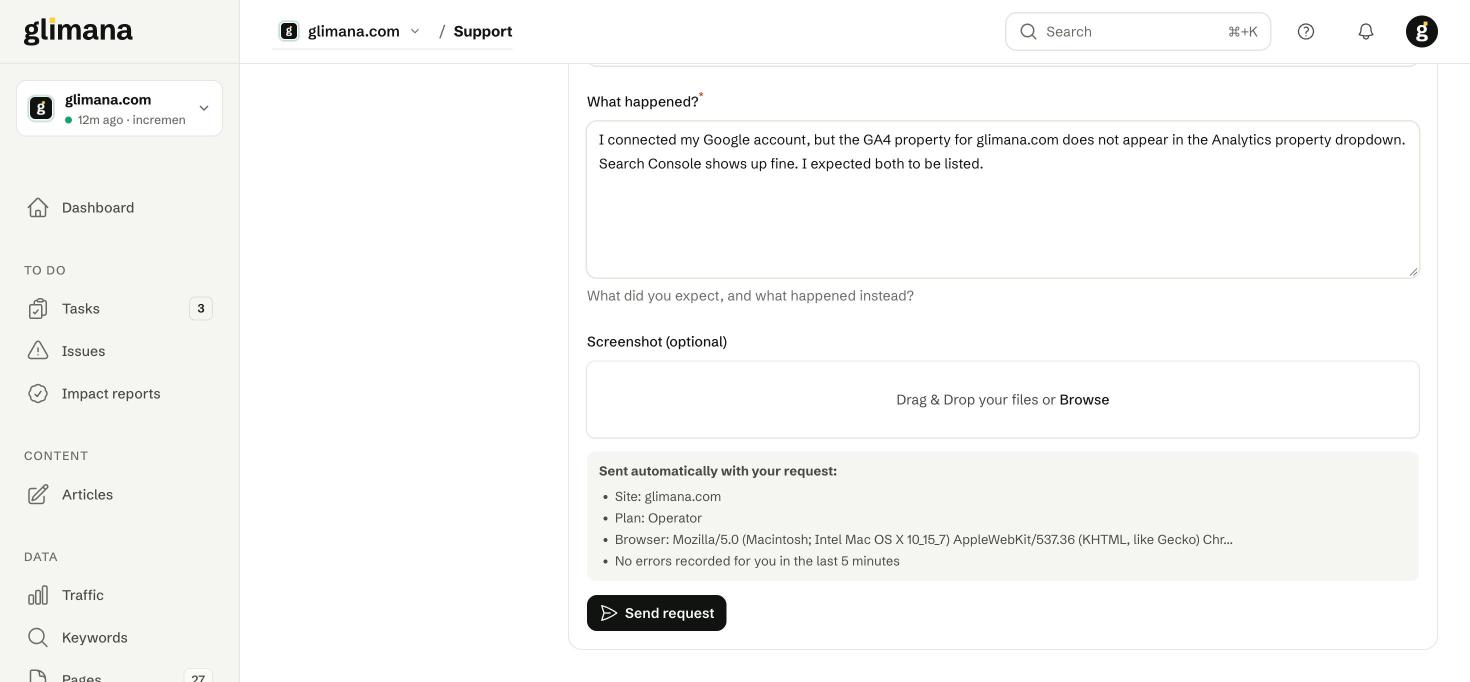
What is sent with a request
The form sends your subject, description and optional screenshot. Attached automatically, and shown to you before you send: the page you were on, the active site, your plan, your browser, and any errors recorded for your account in the last five minutes. Nothing else from your workspace is included.
After you send
The request appears in the list on the left with a number and a status (Open, Answered, Closed). Replies arrive by email from enver@glimana.com; answering that email within the thread adds your message to the request — only mail from the address on your account is accepted, and quoted text is trimmed.
Before you write
Most questions are answered on these pages:
- "My site shows no data" — Search Console publishes with a 2–3 day delay, and returns nothing for days without impressions. See Connections.
- "The score dropped after a crawl" — open Issues → Compare for the two crawls; the diff lists exactly which rule changed.
- "A task says the fix is still there" — the verification crawl found at least one affected page unchanged; the task lists them. Caches (CDN, WordPress page cache) are the usual reason.
- "An AI bot is blocked but my robots.txt allows it" — that is an indicator block from a firewall; see AI access.
Public pages
- Free audit — glimana.com/audit: a 20-page, 60-second check with 15 rules and the same health formula as the panel, for anyone.
- Data sources — glimana.com/data-sources: where every number in Glimana comes from.
- API reference — glimana.com/api-docs.